> For the complete documentation index, see [llms.txt](https://docs.revrobotics.com/llms.txt). Markdown versions of documentation pages are available by appending `.md` to page URLs; this page is available as [Markdown](https://docs.revrobotics.com/education-welcome/curriculum/about.md).
# About the Curriculum
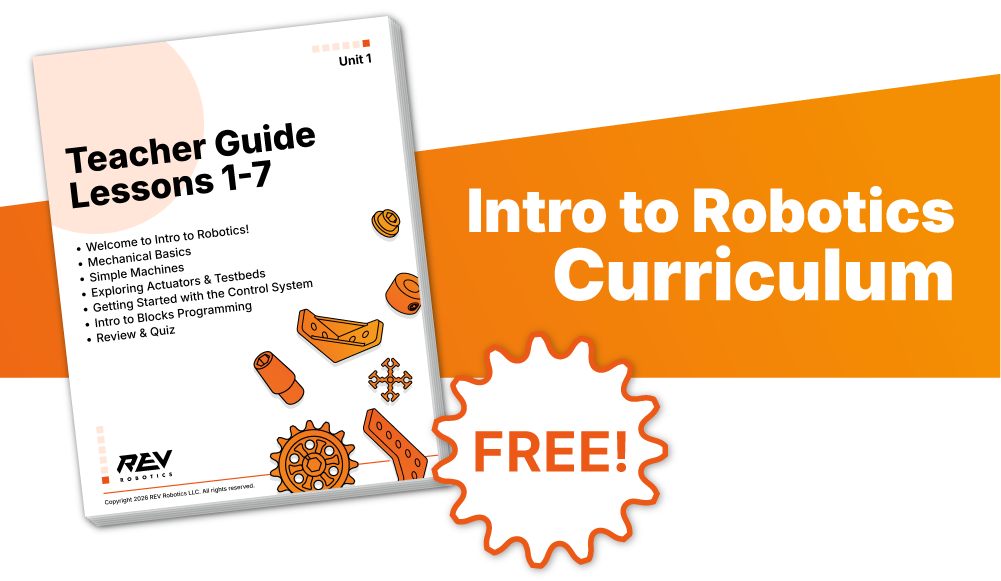
*Intro to Robotics V2* is an adaptable and ready-to-teach semester long course (50+ hours) for high school (9th-12th) classrooms. It is designed to align with ISTE and ITEEA standards. For information on individual state or district standards alignment, please reach out to us at .
The version 2.0 of the curriculum has been rebuilt from the ground up to be accessible for both new and returning educators, with clear guidance and resources to support you every step of the way.
### Highlights:
* 6 units mapped to ISTE and ITEEA standards
* Emphasis on programming, with step-by-step walkthroughs scaffolded to build student knowledge
* Hands-on activities ranging from exploring gear trains to designing sensor-driven autonomous robots
* Real-world themed learning, including a larger challenge in each unit
* Educator resources, including Unit Plans, Lesson Plans, and Activity Guides
* Each unit includes a full walkthrough, with scripts and expanded explanations, to help new teachers teach with confidence!
* LMS compatible
### Unit Information:
Hover over the document type for additional information!
**Unit Resources:**
* [Unit Lesson Breakdown ](#user-content-fn-1)[^1]
* [Unit Plan](#user-content-fn-2)[^2]
* [Step-by-Step Lesson Plans ](#user-content-fn-3)[^3]
* [Lesson Slideshows ](#user-content-fn-4)[^4]
* [Build and Programming Guides](#user-content-fn-5)[^5]
* [Unit Key Terms Glossary](#user-content-fn-6)[^6] (Blank and Filled-in)
* [Unit Activity Guide](#user-content-fn-7)[^7]
* [Elaborated Unit Teacher Guide](#user-content-fn-8)[^8]
* [Student Activity Handouts](#user-content-fn-9)[^9] and Answer Sheets
### Unit Titles:
Hover over a unit title for more information!
* **Unit 1:** [Introduction to Robotics](#user-content-fn-10)[^10]
* **Unit 2:** [Mechanical Motion: Gearing and Gear Trains](#user-content-fn-11)[^11]
* **Unit 3:** [Robots in Motion: Building a Drivable Robot](#user-content-fn-12)[^12]
* **Unit 4:** [Thinking Like a Robot: Intro to Autonomous](#user-content-fn-13)[^13]
* **Unit 5:** [Sensor Exploration](#user-content-fn-14)[^14]
* **Unit 6:** [Bringing it All Together](#user-content-fn-15)[^15]
| [Click here to fill out the curriculum response form for a coupon code to receive it free!](https://www.revrobotics.com/curriculum-response-form/) |
| :------------------------------------------------------------------------------------------------------------------------------------------------: |
[^1]: A high level breakdown of the lessons and material covered for the unit
[^2]: The Unit Plan provides an estimated completion time for the unit, the unit’s big idea, a lesson and learning outcomes list, and a summary of the content covered in that unit
[^3]: This document contains all the individual lesson plans for the unit, which highlights the learning outcomes, needed materials, and assignments
[^4]: Slideshows for the unit in order of lesson
[^5]: Step-by-step guides integrated into the lessons or available as additional examples for getting started.
[^6]: A quick guide for the key terms for the unit, in order of lesson and appearance on the slideshows
[^7]: Units that feature a larger unit activity include an Activity Guide elaborating on activity set up, needed materials, grading, and tips for completing the activity
[^8]: The Teacher Guide contains similar information to the lesson plans, such as materials and learning outcomes, as well as a list of key terms, activity tips, additional resources, and a more detailed walkthrough
[^9]: Blank versions of any activity handouts to be printed or distributed for students
[^10]: Mechanical basics and building a testbed for creating your first OpMode
[^11]: Learning about gears and gear trains, including the physics behind them and calculating gear ratio.
[^12]: Building a basic robot drivetrain for control with the gamepad and to build onto for a larger activity.
[^13]: Exploring how robots think and beginning more complex programming, such as adding loops and sensors.
[^14]: Adding an arm and servo claw to the robot's drivetrain before learning to program using encoders, timers, and the internal IMU.
[^15]: Large final project following the introduction of the color sensor. Supplemental lessons on topics such as the history of robotics and careers in robotics.