> For the complete documentation index, see [llms.txt](https://docs.revrobotics.com/llms.txt). Markdown versions of documentation pages are available by appending `.md` to page URLs; this page is available as [Markdown](https://docs.revrobotics.com/rev-hardware-client-2/guides/swerve-calibration.md).
# Swerve Calibration
1. Verify you have completely assembled your MAXSwerve or EasySwerve Module and have the Steering Motor’s SPARK Flex or SPARK MAX connected to the Module's Through Bore Encoder
2. [Install and open the latest version of the REV Hardware Client](https://docs.revrobotics.com/rev-hardware-client/gs/install)
3. Connect the Steering Motor’s SPARK Motor Controller directly to your computer via the included USB-C to USB-A cable
4. Select the Steering SPARK from the list of Connected Devices and navigate to the **Update Tab** to verify your Firmware is up to date.
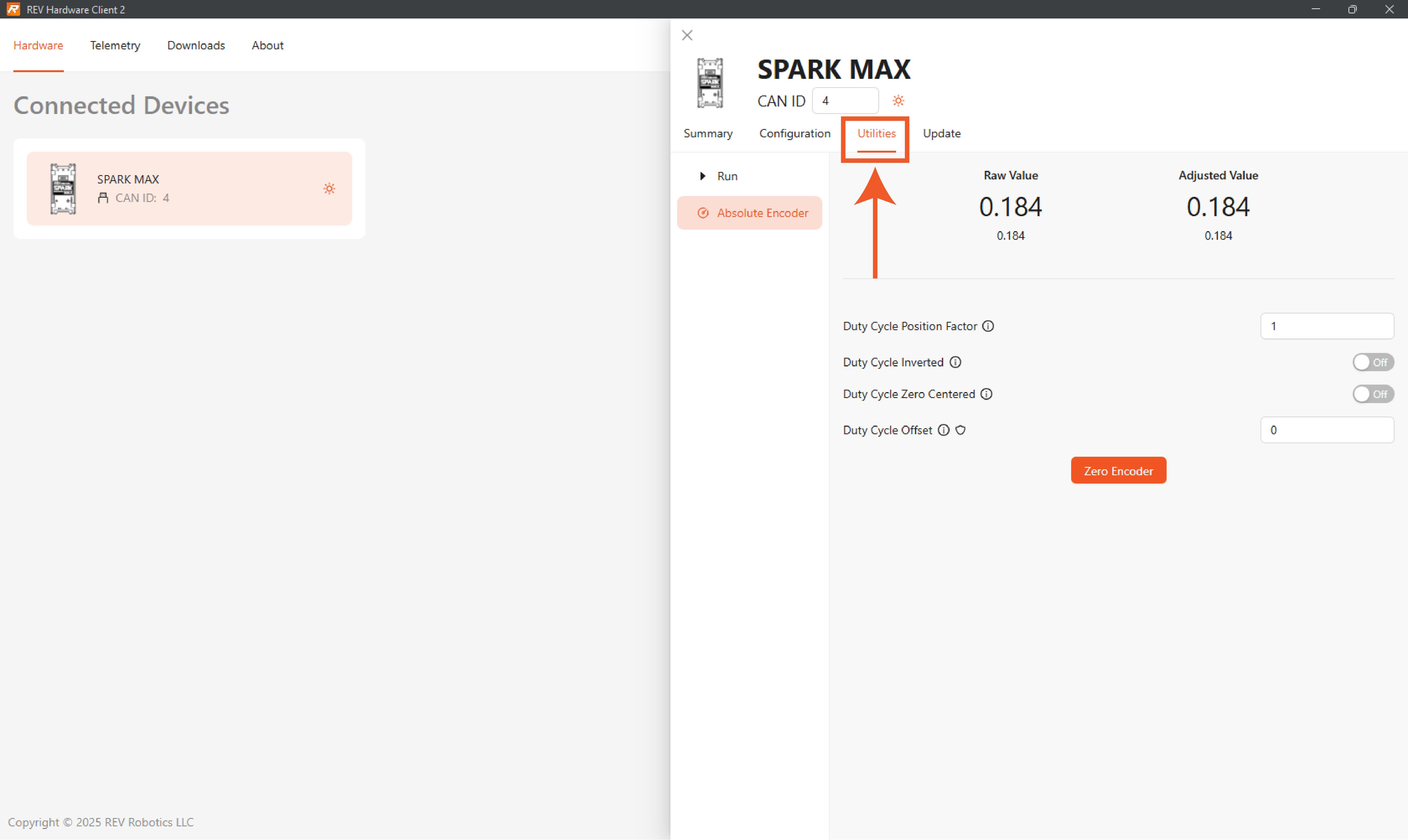
5. Ensure the Steering SPARK is still selected, and then navigate to **Absolute Encoder** under the **Utilities Tab**.
6. Then, follow the steps below for the Swerve Module that you are calibrating to ensure that the zero position is set correctly.
{% tabs %}
{% tab title="EasySwerve Calibration" %}
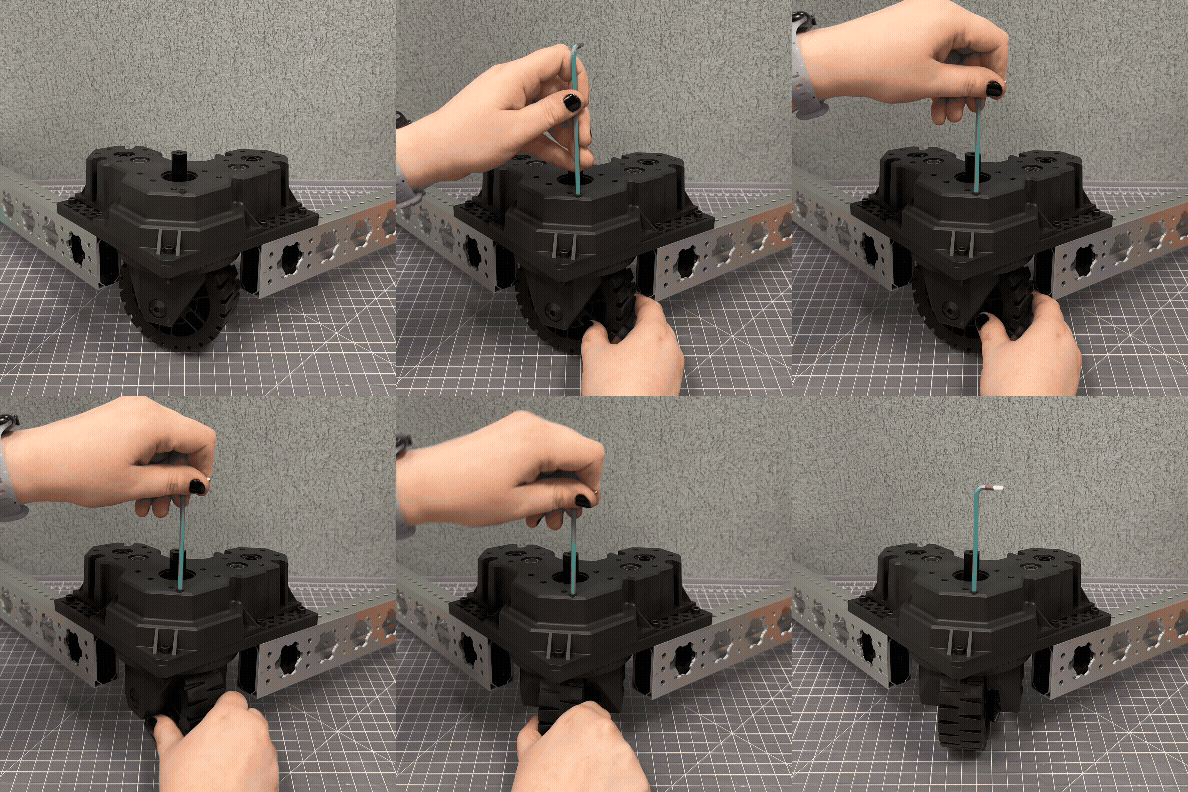
1. Insert a 1/8in or 3mm Hex Key into the calibration on the top of the EasySwerve Module. You will feel the Hex Key reach the azimuth gear inside of the top cover.
2. Rotate the module's wheel manually while applying light pressure to the hex key until it slots into the alignment pocket. The Hex key will travel about 1/4in further into the swerve module when it has aligned.
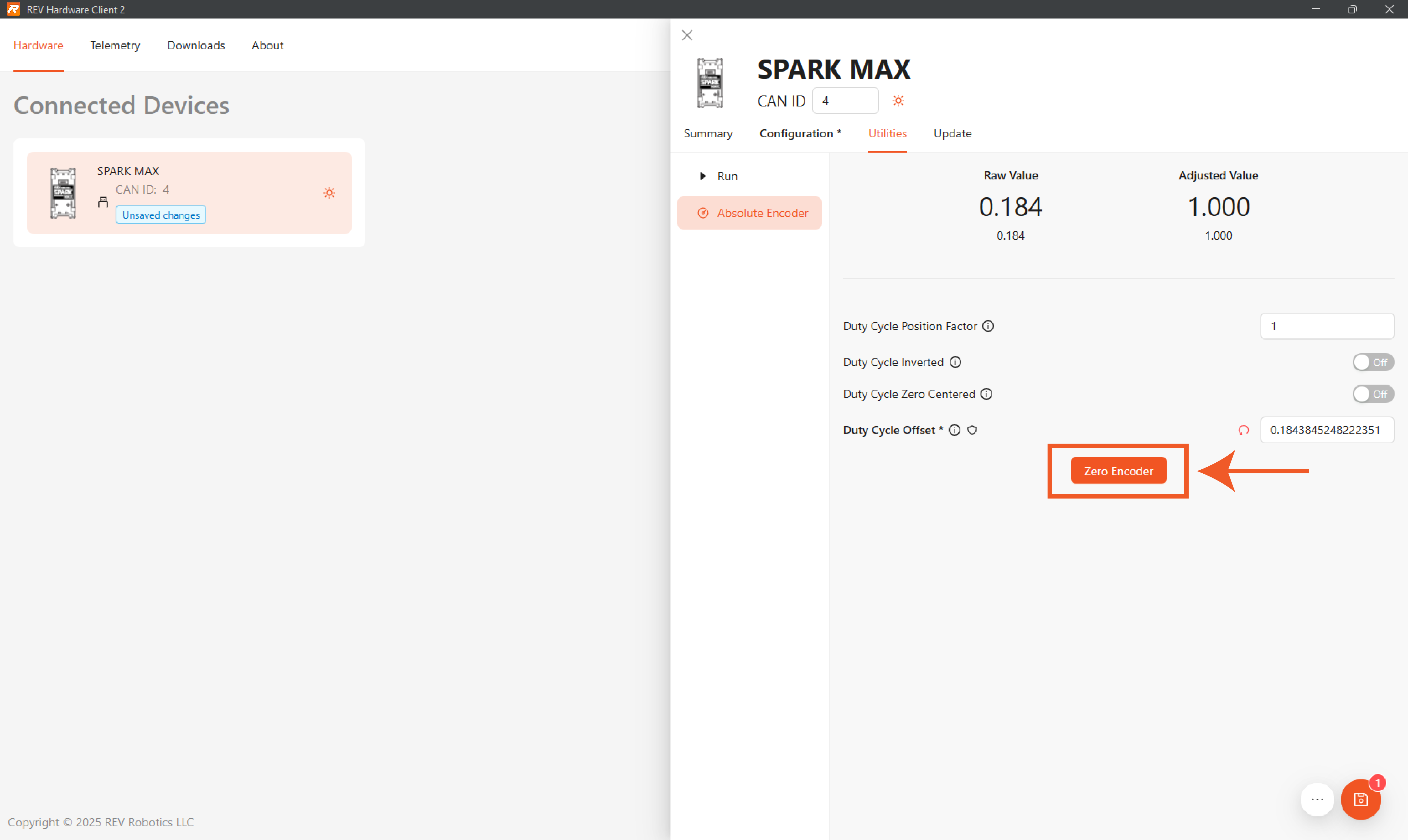
3. Click the Zero Encoder button to calibrate the zero position of the absolute encoder to this position.
{% endtab %}
{% tab title="MAXSwerve Calibration" %}
1. Put the Calibration Tool on the MAXSwerve module.
* The Calibration Tool needs to be placed on the MAXSwerve module with the lip facing the module.
* The MAXSwerve Wheel will only fit in one orientation because of the placement of the wheel's bevel gear. The Calibration Tool is not symmetrical, so you will need to align the bevel gear with the side of the cutout indicated with the orange dot in this image.
* 
MAXSwerve Drivetrain with all four calibration tools properly installed.
2. Rotate the wheel along with the Calibration Tool until the tool's lip firmly drops into place around the MAXSwerve module's edges. Once this happens, the wheel and Calibration Tool will be unable to rotate freely until the tool's lip has been lifted above the edges of the module.
3. Click the Set Zero Offset button to calibrate the zero position of the absolute encoder to this position.
{% endtab %}
{% endtabs %}

.png?alt=media&token=7b7b1349-febd-4078-9d2d-b71c81f07d43)